Deploying MkDocs on Cloudflare Pages: Troubleshooting Build failures
What was I doing and the issue?
MkDocs is a fast, simple, and downright gorgeous static site generator that’s geared towards project documentation.
Recently I was deploying a Mkdocs site through Cloudflare pages and encountered the below issue in Cloudflare Pages build.
Using v2 root directory strategy
Success: Finished cloning repository files
Detected the following tools from environment:
Executing user command: mkdocs build
/bin/sh: 1: mkdocs: not found
Failed: Error while executing user command. Exited with error code: 127
Failed: build command exited with code: 1
Failed: error occurred while running build command
I looked upto the documentation and the settings were ok. I started troubleshooting and realized that the python environment is not picking up the mkdocs command.
Fix: Setup requirements.txt
Cloudflare Pages runner has Python environment by default. So I planned to include requirements.txt and have mkdocs and material-theme installed.
- Create
requirements.txtin the root directory of your repository and include the dependencies.
mkdocs==1.5.3
mkdocs-material
- Configuring the Deployment
Cloudflare Pages doesn’t automatically install Python dependencies, so your build command must do so explicitly.
Set the build command in the Cloudflare Pages settings.
pip install -r requirements.txt && mkdocs build
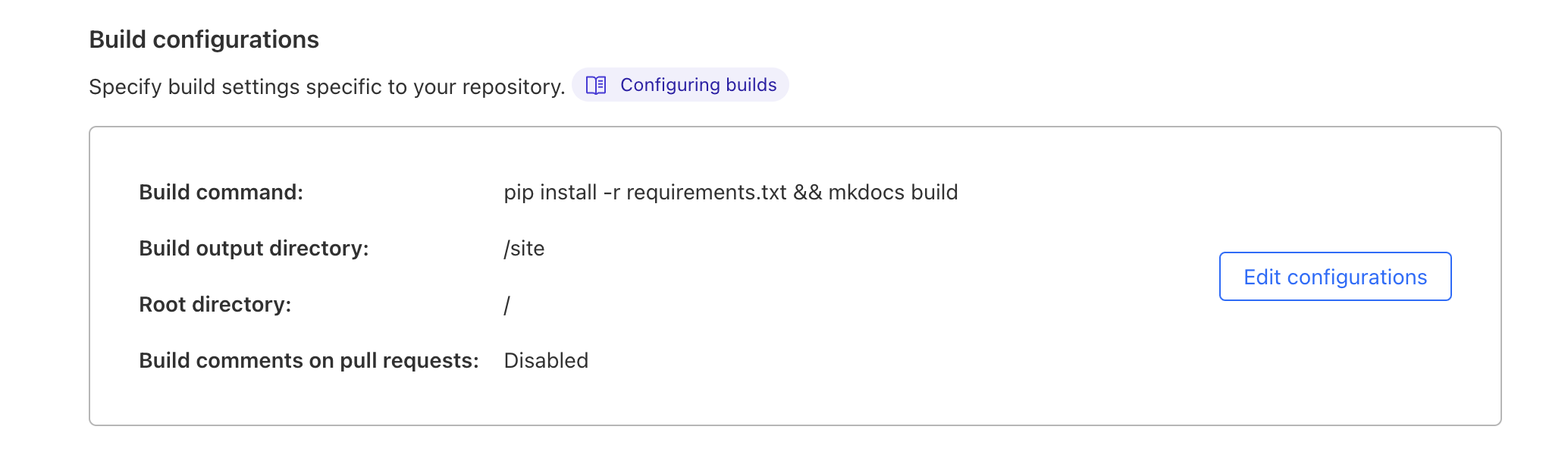
MkDocs generates your site’s static files in the site directory. Specify this as your build output directory in Cloudflare Pages.
- Commit and Push:
With your requirements.txt configured and the Cloudflare Pages build settings updated, Cloudflare Pages will look to the Pythonrequirements.txt, install the dependencies and the build was successful.
Build Output:
Detected the following tools from environment: pip@23.2.1, python@3.11.5
Installing project dependencies: pip install -r requirements.txt
Collecting mkdocs==1.5.3 (from -r requirements.txt (line 1))
Collecting mkdocs==1.5.3 (from -r requirements.txt (line 1))
Obtaining dependency information for mkdocs==1.5.3 from https://files.pythonhosted.org/packages/89/58/aa3301b23966a71d7f8e55233f467b3cec94a651434e9cd9053811342539/mkdocs-1.5.3-py3-none-any.whl.metadata
Downloading mkdocs-1.5.3-py3-none-any.whl.metadata (6.2 kB)
Collecting mkdocs-material (from -r requirements.txt (line 2))
Obtaining dependency information for mkdocs-material from https://files.pythonhosted.org/packages/46/a5/2ca0f69cd0105163dc236ac40b0a9456e73e7eb0a142d9dc3cf13c22a4ec/mkdocs_material-9.5.7-py3-none-any.whl.metadata
...
✨ Success! Uploaded 1 files (47 already uploaded) (0.76 sec)
✨ Upload complete!
Success: Assets published!
Success: Your site was deployed!
Notes
Deploying an MkDocs site on Cloudflare Pages might seem daunting due to the Python dependency management, but it’s quite straightforward once you set up your requirements.txt and configure your build command correctly.
Thanks for reading.